
Diagnostic Radiology Computer
Professional PACS computers for general diagnostic reading, including CT, MR, ultrasound, X-ray, and multi-monitor diagnostic-display environments.
View diagnostic workstation configurations →Texel Comp supplies and configures radiology computers and PACS workstations for radiologists, imaging centers, mammography facilities, and teleradiology teams nationwide. We build on Dell Precision and Dell Pro Max, HP Z-Series, and Lenovo ThinkStation platforms, matching the CPU, RAM, professional GPU, storage, diagnostic displays, and multi-monitor configuration to your PACS and reading workflow.
A radiology computer is not just a standard desktop with a faster processor. It is a professional workstation engineered for sustained performance, expandability, diagnostic-display output, and long reading sessions with large CT, MR, mammography, and other medical-imaging datasets.
Professional radiology computers provide the headroom a standard office desktop cannot. Their workstation-class platforms support current-generation CPUs, professional GPUs, additional NVMe storage, higher memory capacity, and enhanced cooling for stable performance during long reading sessions.
For radiology and PACS workflows, that means faster access to large CT and MR series, dependable output to multiple diagnostic displays at full resolution, and enough system capacity for PACS, voice-recognition, browser tools, and post-processing software to run together without unnecessary bottlenecks.
The GPU is especially important. We build around NVIDIA RTX professional graphics and, where the software requires it, Barco MXRT display controllers. The GPU is matched to the exact display count and resolution, and multi-monitor output is verified in-house before shipping.
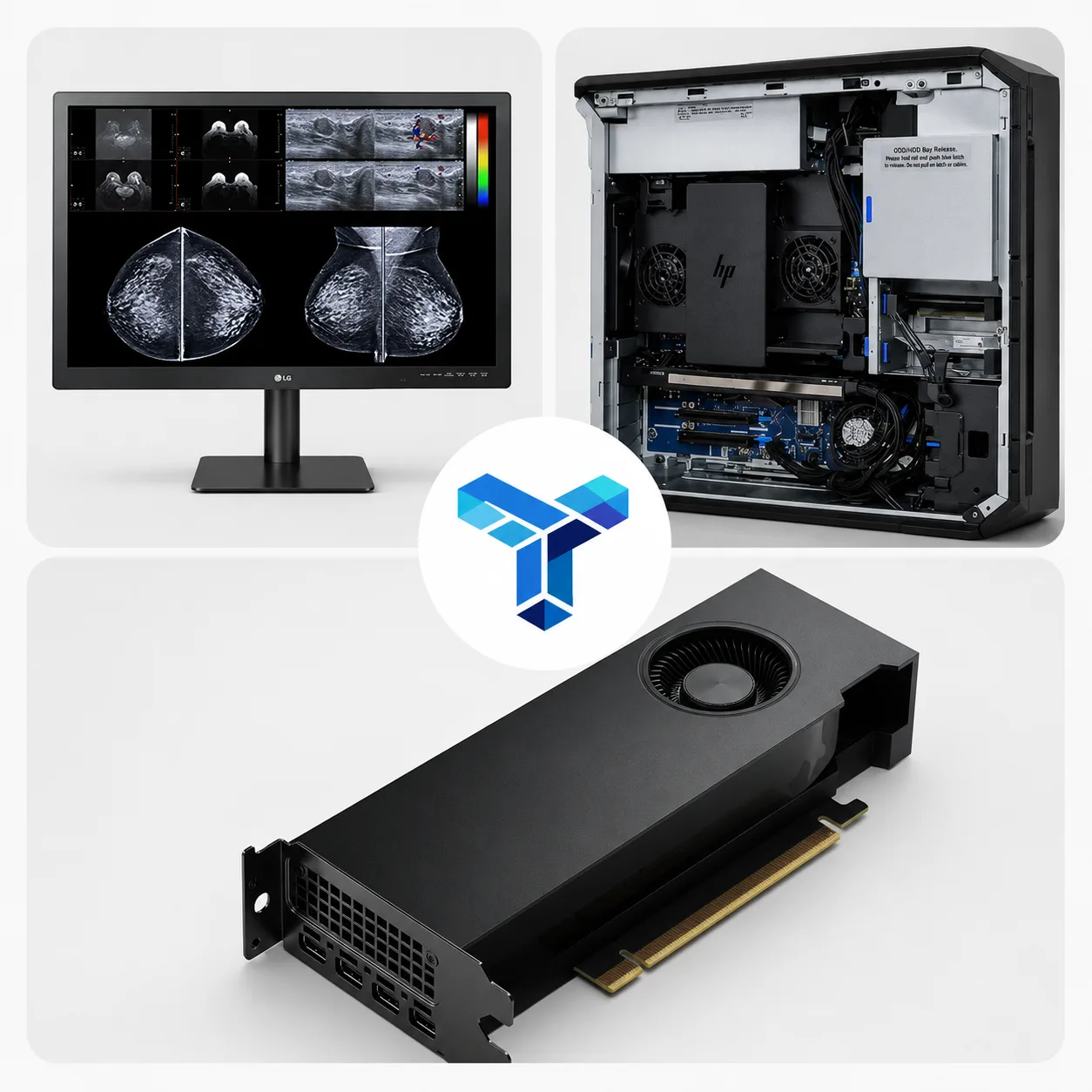
Choose a radiology computer around the actual reading environment — not a generic PC specification. Texel Comp can recommend a complete PACS workstation based on modality, display resolution, software, reading volume, and budget.
Professional PACS computers for general diagnostic reading, including CT, MR, ultrasound, X-ray, and multi-monitor diagnostic-display environments.
View diagnostic workstation configurations →Radiology workstation computers planned around high-resolution mammography displays, compatible display controllers, memory capacity, and stable multi-monitor output.
Explore diagnostic and mammography displays →Higher-performance PACS workstations for heavier datasets, 3D visualization, post-processing, advanced imaging applications, and demanding multi-application workflows.
Explore professional graphics options →Reliable radiology PCs and workstations for home reading environments, remote radiologists, and distributed teleradiology teams that need professional performance and remote support.
Request a teleradiology computer recommendation →Texel Comp supplies radiology computers and PACS workstations built on Dell Precision and Dell Pro Max, HP Z-Series, and Lenovo ThinkStation platforms. Each system is configured in-house with the CPU, professional GPU, RAM, NVMe storage, drivers, and display output matched to the reading workflow.
New or professionally renewed, one station or a complete reading room, the recommendation is based on your PACS environment and diagnostic display requirements — not simply on what is in stock.

Expandable professional towers configured around your diagnostic display and PACS requirements.
View official Dell workstations
Workstation platforms built for continuous professional workloads and long-term serviceability.
View official HP Z workstations
Reliable tower configurations for multi-monitor reading stations and demanding imaging workflows.
View official Lenovo ThinkStationsEvery radiology computer and PACS workstation is specified around the workload, display configuration, and software environment rather than a generic desktop template.
Workstation-class CPU sized to your modality and reading volume.
Professional GPU rated to drive your diagnostic displays at full resolution.
Fast NVMe storage and ample RAM for large CT/MR datasets.
Multi-monitor output configured and verified for your display layout.
Windows set up, drivers installed, and PACS connectivity tested.
New or professionally renewed options to fit the budget.
We plan the workstation as part of the complete reading environment, then configure and verify the system before it reaches your facility.
We review modality, PACS, reading volume, display resolution, screen count, and software requirements.
CPU, GPU, memory, storage, connectivity, and expansion are selected around the actual workload.
Windows, graphics drivers, display output, and the requested workstation configuration are prepared in-house.
Multi-monitor output and the planned reading layout are checked before nationwide delivery.
Pair the workstation with the other hardware and technical services needed for a complete diagnostic reading station.
Diagnostic, mammography, and clinical review displays matched to the reading task.
Explore displays → EquipmentProfessional display controllers selected for diagnostic resolution and screen count.
Explore graphics cards → ConfigurationsCompare radiology computer configurations for diagnostic reading, mammography, advanced imaging, and teleradiology workflows.
View radiology computer configurations → SetupPlan display layout, output, drivers, and workflow across a complete reading station.
View setup service → PlanningCompare platforms and coordinate the equipment needed for a reading environment.
Plan your hardware → SupportRemote help for PACS, workstations, GPUs, diagnostic displays, and related peripherals.
View technical support →The best radiology computer depends on the PACS application, modality, reading volume, diagnostic display resolution, number of monitors, and any post-processing software in use. Texel Comp configures Dell, HP, and Lenovo professional workstations with the CPU, memory, storage, and professional graphics hardware matched to the reading environment.
A radiology computer is configured around PACS performance, diagnostic display requirements, professional graphics, multi-monitor output, memory capacity, fast storage, cooling, and long-duration reading workloads. A standard office PC may not provide the expansion, graphics support, or sustained performance required for a professional diagnostic reading environment.
Both. Every system is configured in-house — drivers, displays, and PACS connectivity tested — before it ships. We can also support it remotely afterward.
Yes. Tell us your modality, PACS, and display setup and we spec the CPU, GPU, RAM, and storage around it.
New for primary reading stations and long refresh cycles; professionally renewed for backup or secondary stations where value matters more.
Yes — configured, tested, and ready to use, anywhere in the US.
Yes — see our medical display monitors and workstation accessories.
Tell us your modality, PACS, diagnostic displays, reading volume, and software requirements, and we’ll recommend the right Dell, HP, or Lenovo workstation configuration.